
Carousell is still one of the easiest ways to buy and sell second-hand goods in Hong Kong. Most deals go fine. Scams still appear, and the tactics keep changing.
You do not need every trick memorized. Focus on patterns: who contacts you, where they want to chat, how they ask for money, and whether anything pulls you off the app. Carousell’s Help Centre publishes Hong Kong local trends and safety advisories and a guide on how to deal safely. Use the checklist below before you pay, ship, or meet.
New here? Our Hong Kong Carousell deal tips and expat-friendly marketplace guide cover browsing basics. Safety comes first once money or personal details enter the chat—especially before you pay or agree to meet.
Common scam patterns in Hong Kong (2026)
Scammers in Hong Kong commonly impersonate staff, push phishing links or fake Buyer Protection pages, drag chats off Carousell, post unrealistically cheap listings, rush ticket or voucher deals, or try fake cheque tricks.
Fake staff / WhatsApp impersonation
As of Carousell’s May 2026 advisory, impersonators claim to be staff on WhatsApp or other messaging apps. They may send logo photos or forged name cards, then offer “sales packages,” promotions, or account support—followed by payments outside official channels, urgent action, or sensitive details.
Real Carousell email uses verified domains such as @carousell.com or @thecarousell.com (e.g. mail@carousell.com, mail@marketing.carousell.com). In-app Admin accounts show an Admin badge. Carousell will never ask you to transfer to a personal account, share passwords or verification codes, or make urgent payments through unofficial channels.
Phishing links, QR codes, fake Buyer Protection
A recurring pattern (from October 2024 onward) is the Buyer Protection scam: a fake buyer or “admin” sends a fake payment confirmation, then a link to “receive funds.” The page asks for login or banking details. Similar traps use QR codes from unknown senders.
Do not click or scan links or QR codes from people you do not trust. Do not share passwords over email or chat. Sellers do not need a buyer-provided link to finish a deal. See Carousell’s Buyer Protection scam explainer if you already clicked.
Off-platform pressure
Scammers prefer WhatsApp, SMS, or email because Carousell cannot see the conversation. Once chat leaves the app, Buyer Protection usually no longer applies. Lines like “Faster on WhatsApp,” “Admin will process outside,” or “Pay now or I sell to someone else” are warnings. Keep the record on Carousell.
Too-good listings
Prices far below market value, sealed “brand-new” goods at thrift prices, or sellers who refuse basic questions often signal trouble. Cross-check similar listings, read reviews, and check the User Badge before you commit.
Ticket / voucher scams
For concert tickets and vouchers, advisories suggest checking reputation, staying in-app, asking for proof, preferring secure payment or a careful meet-up, inspecting tickets before you leave, and distrusting urgency. “Last two tickets—pay now” plus an off-platform transfer is a combo to avoid.
Fake cheque tricks
Advisories from April–July 2024 flagged rising fake cheque scams. Prefer cash at meet-ups when that fits. Keep chats on the platform. If you accept a bank transfer, confirm funds are actually in—not “pending”—before handing over goods. Report suspicious behaviour to Support or, when needed, HKPF.
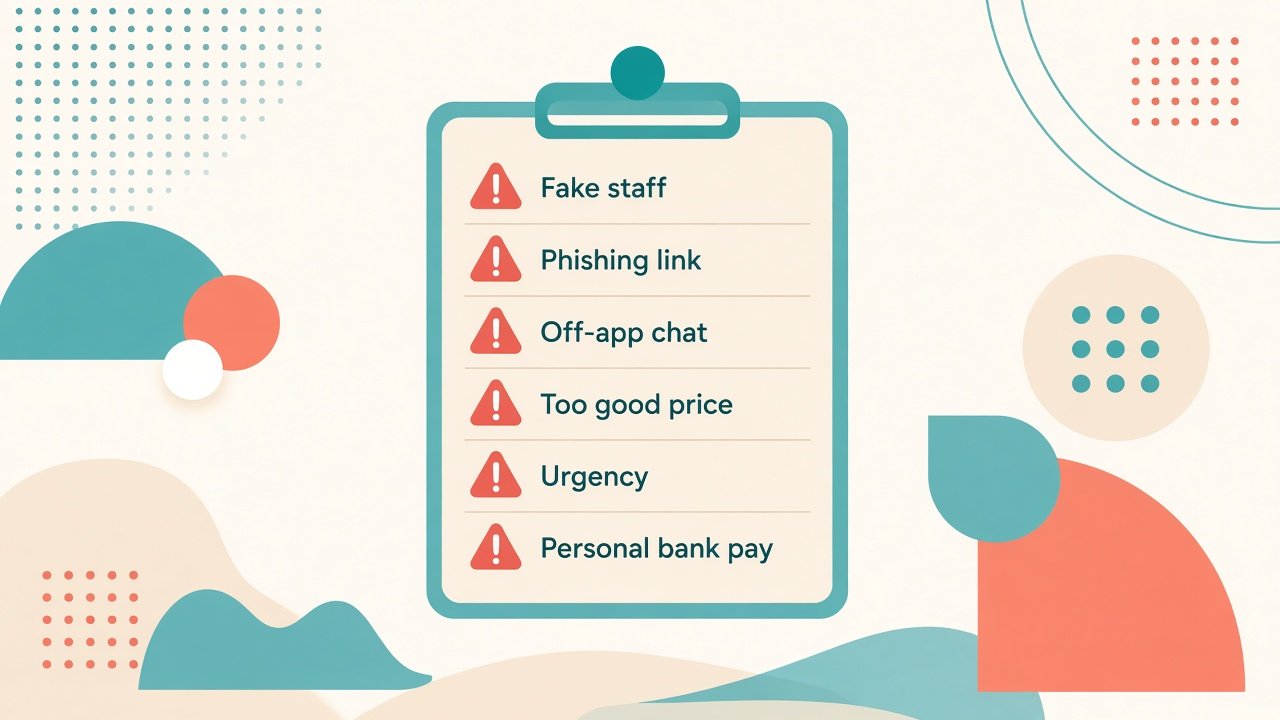
Red flags before you pay or ship
Pause if any of these appear. One flag is a caution; several together mean stop.
- Someone claiming to be Carousell staff contacts you on WhatsApp or another off-app channel
- They send logo images or forged documents and ask for payment outside Carousell
- You are asked for passwords, OTPs, verification codes, card numbers, CVV, or i-banking details
- A link or QR code promises “Buyer Protection,” “receive payment,” or “unlock funds”
- The other party insists on leaving Carousell chat before terms are clear
- The price is unrealistically low and the seller avoids questions
- Ticket or voucher sellers push extreme urgency and refuse proof or inspection
- A cheque or transfer looks completed but funds are still pending
- Payment is requested to a personal bank account for an “official” fee or package
- You are told to enter card details on a page in order to receive money

Safer ways to deal on Carousell
Safer deals stay on the platform when possible, use the Buy button for covered listings, and treat meet-ups as public, planned handovers—not rushed private cash drops.
Buyers: look for Buyer Protection listings and pay via the Buy button when available. That path supports refunds if the item does not arrive (tracked shipping) or is significantly not as described. Sellers: enabling the Buy button can clarify the listing; earnings typically follow after the buyer receives the item.
Before you commit:
- Check the User Badge and recent reviews
- Do due diligence on condition, authenticity, and serials where relevant
- Keep chats and transactions on Carousell
- Meet in public, well-lit places; bring a friend when you can
- Avoid carrying large amounts of cash
- Electronics: confirm serials; branded bags: authenticity cues; appliances: short demo; tickets: transfer terms
Keep banking details confidential—card numbers, CVV, PIN, OTP, and i-banking passwords. See How to deal safely. More notes under Online Shopping Tips on hkcarousell.com.
What Buyer Protection does — and doesn’t
Buyer Protection in Hong Kong applies when you pay through the Buy button; off-platform or meet-up cash deals are not covered.
Per Carousell’s Hong Kong Help pages, current Buy-button methods include Visa/Mastercard credit cards, Alipay HK, and Octopus. Coverage typically includes items not received (tracked shipping) and items significantly not as described—wrong variation, missing parts, wrong condition, or undisclosed defects that affect function. Raise a return/refund from Order Details; Support aims to respond within about 24 hours.
In a dispute, Carousell is a neutral party. Support contacts both sides within about 24 hours and aims to resolve many cases in around five working days (returns may take longer). Payment is held while the dispute is open. Sellers seeking the Buyer Protection tag need eligibility such as a review rating of at least 4.0 and low cancellation rates (reassessed on Mondays), and can offer delivery options including SF Express via Carousell.
Not covered:
- Change of mind
- Claims after the dispute window
- Issues clearly stated in the listing
- Theft or damage after successful delivery
- Packaging creases alone, or surface wear that does not affect function
- Any payment not through the Buy button (full or partial off-platform)
- Many excluded categories (services, prohibited items, cars/motorbikes/property, virtual items, shipping over six days, and similar cases in Help)
Never leave the app or send email/mobile just to “receive payment,” and never enter card details on a page to receive money—report that. Detail: What is Buyer Protection (HK), What does Buyer Protection cover (HK), dispute handling overview.
If you suspect a scam
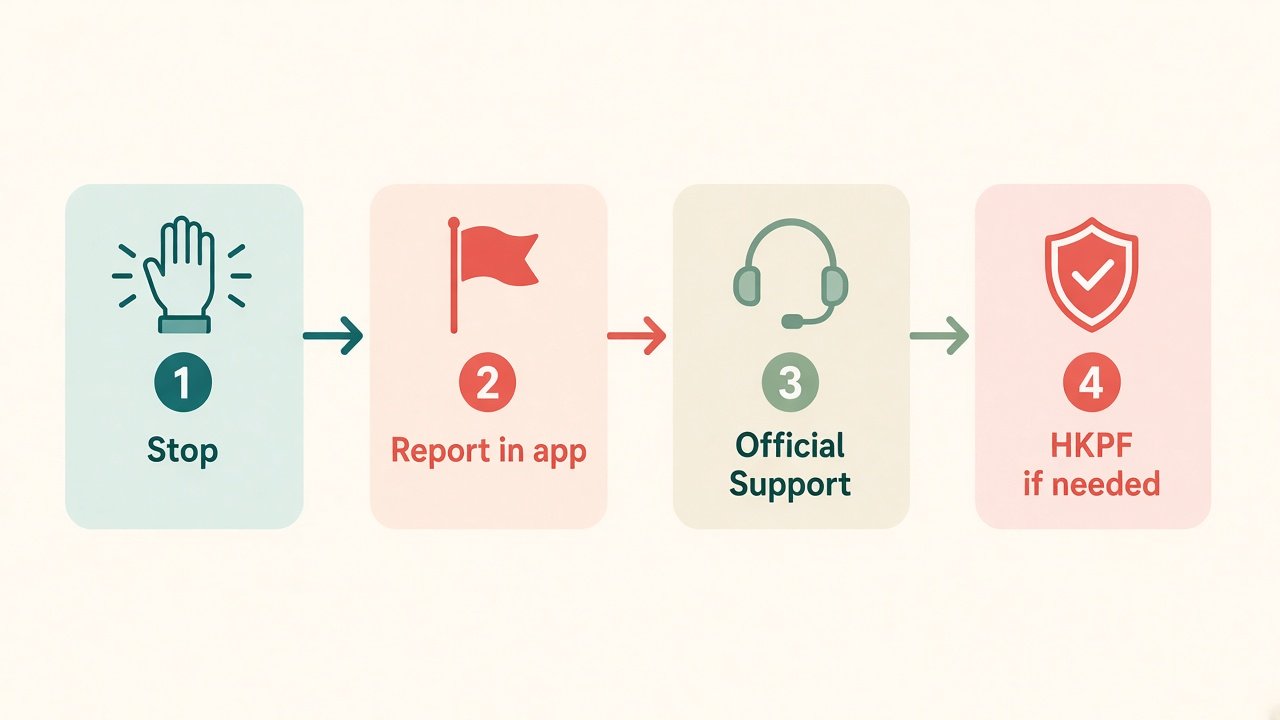
Stop first. Do not send more money, codes, or documents. Then report in-app, contact official Support, involve HKPF if needed, and keep your screenshots.
- Stop — end the payment or info share. If you entered card details on a phishing page, block the card and change banking passwords.
- Report the user — chat or profile → ••• → Report user → reason (e.g. Phishing scammer / Suspicious activity) → details → Report. Anonymous unless follow-up is needed. See How can I report a user / listing.
- Official Support — Buy-button orders: refund path from Order Details. Phishing/other scams: Help! I got scammed on Carousell. Carousell may not recover off-platform funds; your bank may still help.
- Change passwords — especially Carousell if you clicked a fake login or payment page.
- Keep evidence — screenshots of chat, listings, receipts, numbers, links.
- HKPF — if money left under fraud, report to police with your evidence pack.
Quick safety checklist
Answer yes or no before you pay, ship, or hand over goods.
- Is the entire negotiation still inside Carousell chat?
- Does any “staff” contact use a verified
@carousell.com/@thecarousell.comemail or an in-app Admin badge—not WhatsApp alone? - Are you being asked for passwords, OTPs, or card details to “receive” money? (If yes, stop.)
- For covered purchases, are you paying through the Buy button rather than a personal transfer?
- Have you checked the seller/buyer badge, reviews, and listing details?
- For meet-ups: public place, well-lit area, friend optional but wise?
- For tickets/vouchers: proof requested, inspection planned, no panic deadline?
- For bank transfers: funds confirmed received (not pending) before goods leave?
- Have you avoided unknown “Buyer Protection” or “receive funds” links/QR codes?
- If something feels off, do you know the report path (••• → Report user) and where Support lives in Help?
Aim for yes on the safety habits and no on the scam asks. When in doubt, walk away.
FAQ
Is Carousell safe to use in Hong Kong?
Yes for many everyday deals when you stay in-app, check badges and reviews, and use the Buy button for covered listings. Risk rises when chats move off-platform, payments go to personal accounts, or “staff” ask for urgent unofficial transfers. Safety depends heavily on how you deal.
What are the most common Carousell scams in Hong Kong right now?
Patterns in Carousell’s Hong Kong advisories include fake staff on WhatsApp, phishing and fake Buyer Protection links, pressure to leave the app, too-good listings, rushed ticket/voucher deals, and fake cheque or pending-transfer tricks. Re-check the latest Local Trends and Safety Advisories—tactics change.
Will Carousell staff ever ask me to pay via WhatsApp or a personal bank account?
No. Carousell will not ask you to transfer to personal accounts, share passwords or verification codes, or make urgent payments through unofficial channels. Official email uses verified Carousell domains; in-app Admin accounts show an Admin badge.
What is a fake Buyer Protection / phishing link scam?
A fake buyer or “admin” sends a false payment confirmation, then a link or QR code to “receive funds” or unlock Buyer Protection. The page harvests logins or banking details. Do not click. If you already did, change passwords, watch your accounts, report the user as a phishing scammer, and follow Carousell’s scam help article.
Should I move the chat to WhatsApp?
Usually no. Off-platform chat removes the in-app record and typically removes Buyer Protection. Keep negotiations on Carousell unless you accept the extra risk—and never share OTPs, passwords, or card details.
Does Carousell Buyer Protection cover meet-up cash deals?
No. Protection applies when you pay through the Buy button under Hong Kong Buyer Protection rules. Meet-up cash and other off-platform payments are not covered. For cash meet-ups: public place, inspect first, confirm condition before you pay.
What should I do if I already paid a scammer?
Stop further payments. Buy-button order: open Order Details and use the Buyer Protection / dispute path. Off-platform payment or phishing page: contact your bank, change passwords, report the user in-app, gather screenshots, and consider an HKPF report. Carousell may not recover off-platform losses; act quickly with your bank.
If you want a second pair of eyes before a larger purchase—or prefer someone to handle the buying end—hkcarousell.com offers Help-to-Buy support. More guides: blog.